

Sign up your Zaptec charging point
Give us one-time access to your Zaptec installation. From then on we collect your charged kWh automatically and take care of the rest. It takes about two minutes.
What you need
- A Zaptec Pro or Zaptec Go 2. Only these have a MID meter, a certified kWh meter whose readings count.
- Your own Zaptec account, which you use to log in to portal.zaptec.com.
Step by step in the Zaptec portal
Log in to portal.zaptec.com with your own Zaptec account and follow these steps.
Permission is given per installation. Have more than one Zaptec installation? Then go through steps 1 to 4 for each installation. We can only collect data from installations where Energieluitjes is listed under Permissions.
Open Permissions
- Click Installations at the top and then your address to go to your installation (if you have several: start with the first)
- Open the Permissions tab
- Click Give permission
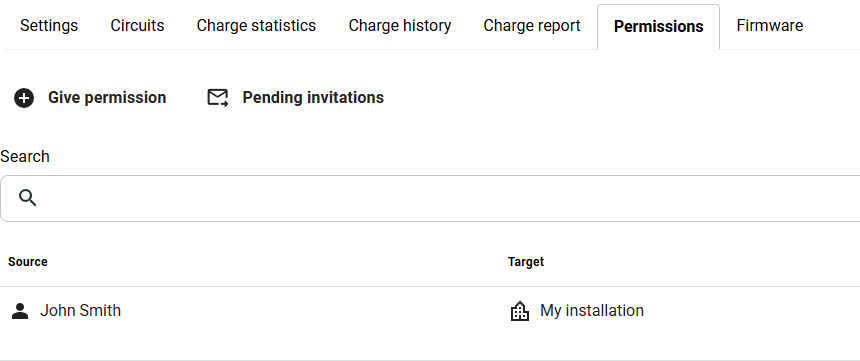
Search for our partner code
- Click Partner
- Enter the partner code
- Select Energieluitjes (radio button)
- Click Next
Partner codeU3JG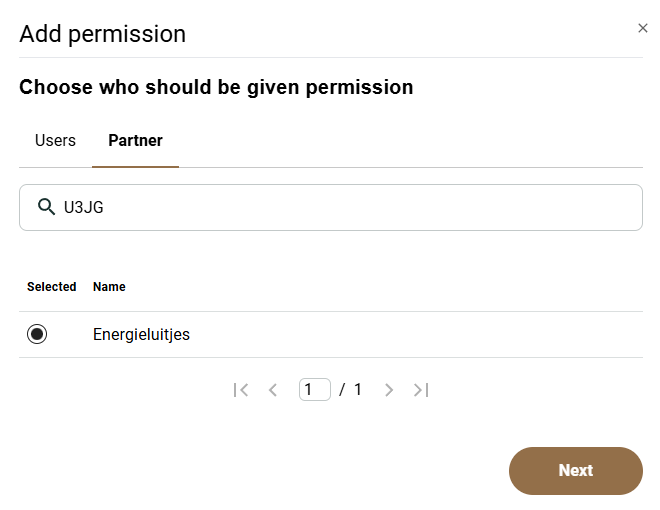
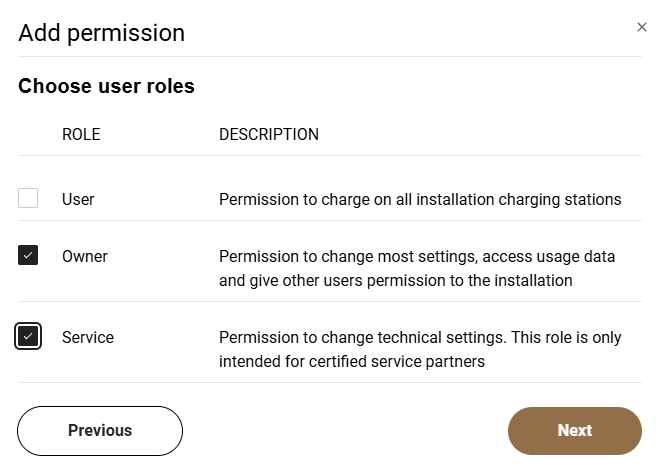
Add permission
- Select Owner and Service
- Click Next
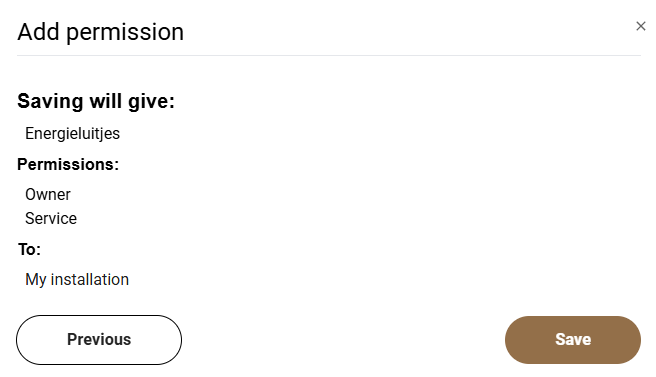
Check and save
- Check that Energieluitjes gets the Owner and Service roles
- Click Save
Done! Energieluitjes is now listed under your Permissions with the Owner and Service roles. You will then receive an email from us to complete the rest of your sign-up. That takes 5 minutes at most.
More than one installation? Go back to step 1 and repeat the steps for your next installation, until Energieluitjes has access to all of your installations.
Giving access in Zaptec does not yet mean you agree to our services. You only do that in the last step of your sign-up, when you sign the authorisation.
No email received? Please also check your spam folder. Still stuck? Email us at helpdesk@energieluitjes.nl and we will help you further.